
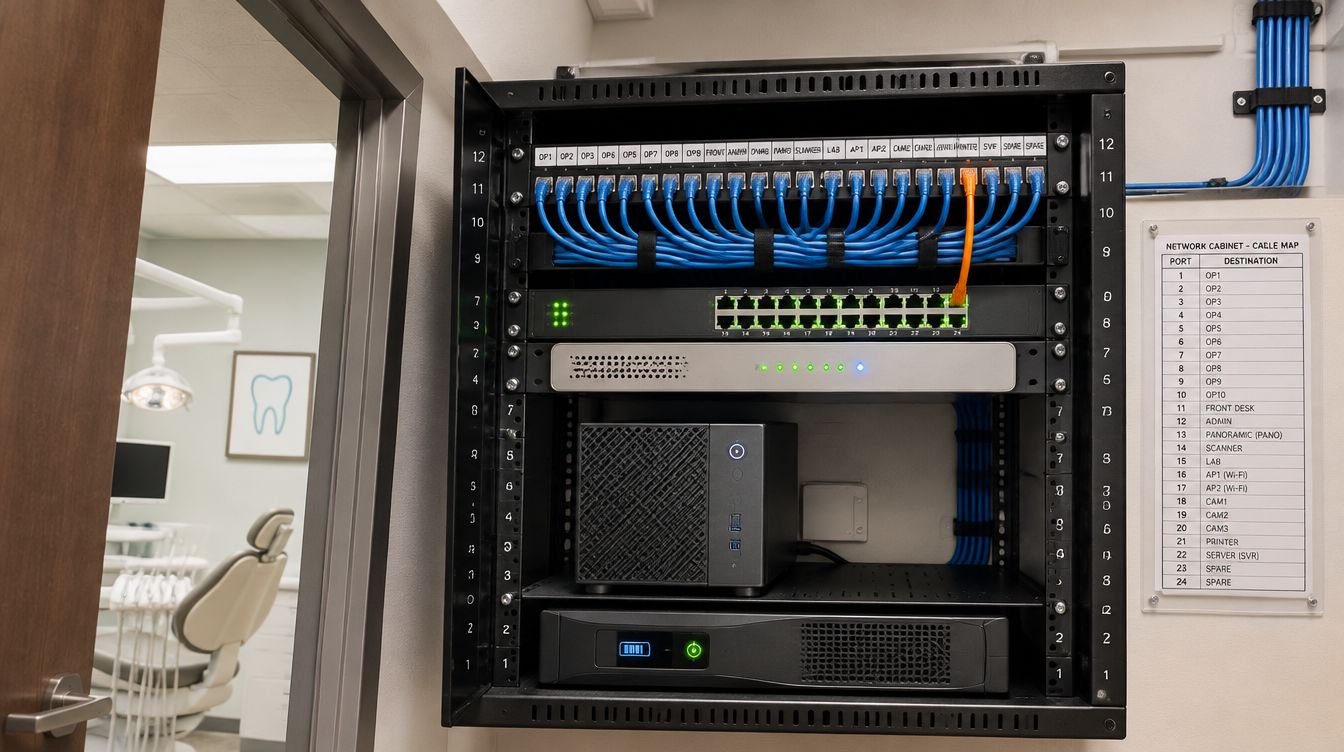
Dentrix server setup for a Phoenix dental office means choosing a machine that fits the database, images and documents the practice will keep for years, installing Dentrix on it before anything else, joining each workstation, and scheduling backups that are tested, not assumed. ClearMax technicians do it as part of a new office or a move, with the old server left intact until its data is verified on the new one.
Last updated: November 2026
What Henry Schein One's guide puts first
The Dentrix installation guide asks that the server and workstations meet the current published system requirements, that the server's data be backed up before an install or upgrade, with the backup verified before an upgrade, and that Dentrix go on the file server, the computer where the practice database is stored, before any workstation. For a network install it also expects a shared folder on the server and a set of firewall exceptions so workstations can reach it. Those steps are written into the plan with dates, not left to the morning of opening.
Sizing the machine for the records it must hold
Disk is sized for imaging, not just the database. Intraoral images, panos and scanned documents grow every week, and the server has to hold them for as long as the practice must keep them. Arizona's statute says that, unless otherwise required by law, an adult patient's dental records must be retained for at least six years after the last date that patient received dental services from the provider. A child's records run to at least three years past the eighteenth birthday or six years after the last visit, whichever is later. A server sized for one year of growth is replaced long before its data can be let go.
- Storage for the database, images and documents, with room to grow.
- A battery unit that shuts the server down cleanly in an outage.
- A place in the cooled closet, off the floor, on its own cable to the switch.
Charts that print and copies that transfer
Two duties in the same statute shape the setup. Arizona requires that electronic records must be retrievable in paper form. So a front-desk printer is set up from Dentrix and a full chart is printed as part of testing, not discovered missing during a records request.
Within fifteen business days after a patient's written request, the practice shall transfer legible and diagnostic quality copies of that patient's records to another licensee or to the patient. The imaging workstation and its export path are tested for that: a chart and its radiographs exported at full quality, opened on another machine, and checked.
Bringing the data across from an old server
- The new server is built, updated and Dentrix installed at the version the practice runs.
- After the last patient, a final backup is taken, verified and restored to the new machine.
- Each workstation is pointed at the new server; imaging and printing are checked at each desk.
- Next morning, staff open old charts, old images and old appointments before the first patient arrives.
The old server is not wiped that week. If a check fails, the workstations point back at it while the problem is fixed after hours.
Backups that run on a schedule
After installation, Henry Schein One's guide points to the Dentrix Server Administration Utility to schedule recurring exports of the database for a separate backup program to pick up. The plan sets those exports, a local backup and an off-site copy, then restores a test file before handover so the practice knows the backup opens.
When the practice changes hands
When a dentist retires or sells a practice, the dentist shall take reasonable measures to ensure that the patient records are retained as the statute requires. An acquisition or a move to a new building is planned with that in mind: the old server stays intact and copied until the new owner confirms the history opened on the new machine.
Server questions from Phoenix practices
Can the server live in the front office instead of a closet?
It can, but a locked, cooled closet on the battery unit is safer for both the hardware and the records.
Do the workstations need to be replaced too?
Only if they fall below the current requirements. Each one is checked before install day. The cabling plan and the buildout overview show where the server fits.